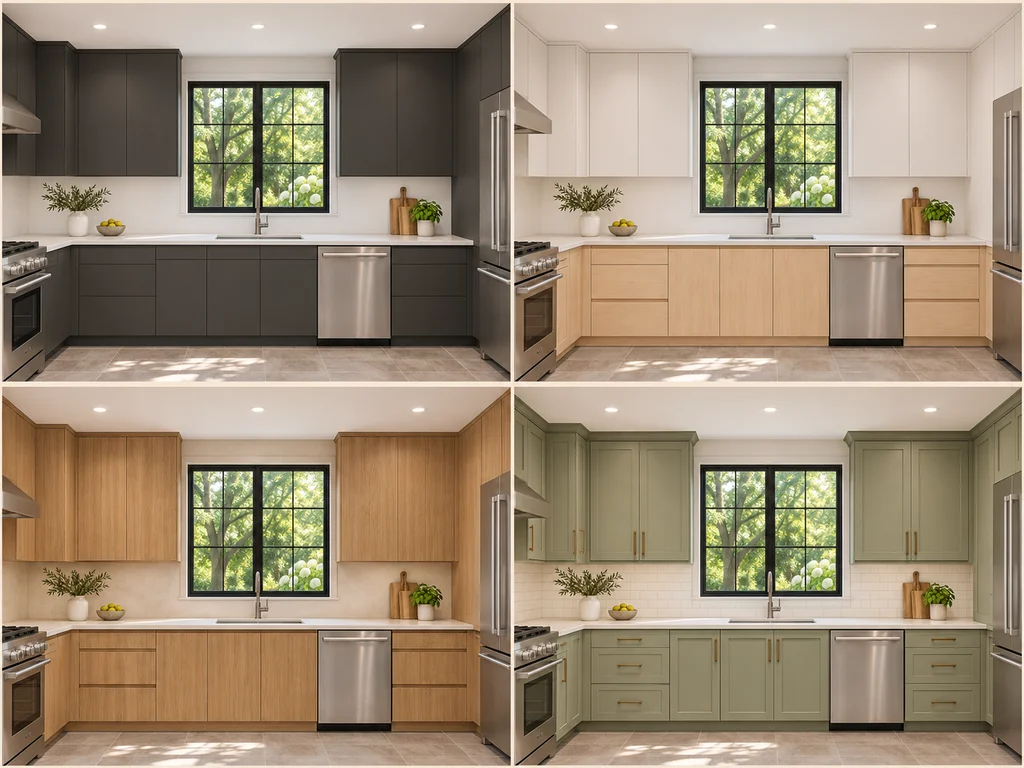
Explore a new style
Choose a preset in AI Kitchen Design or describe a custom style.
Kitchen remodel preview
Use AI Kitchen Design to see new cabinets, countertops, and lighting in your own kitchen.
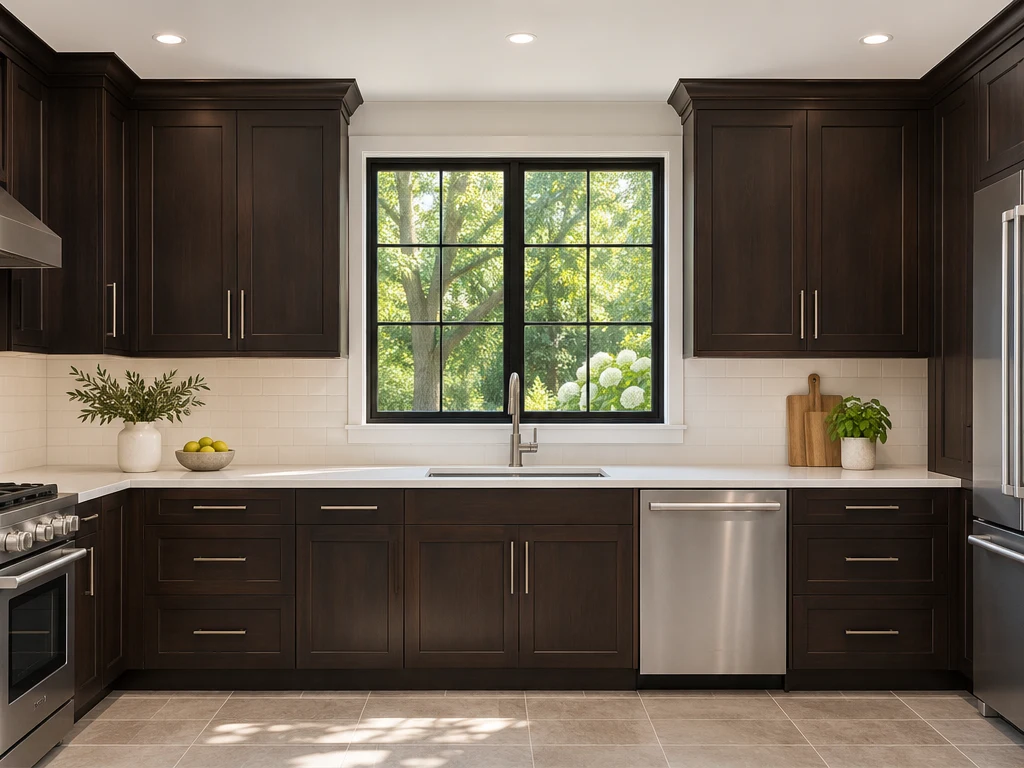 Before
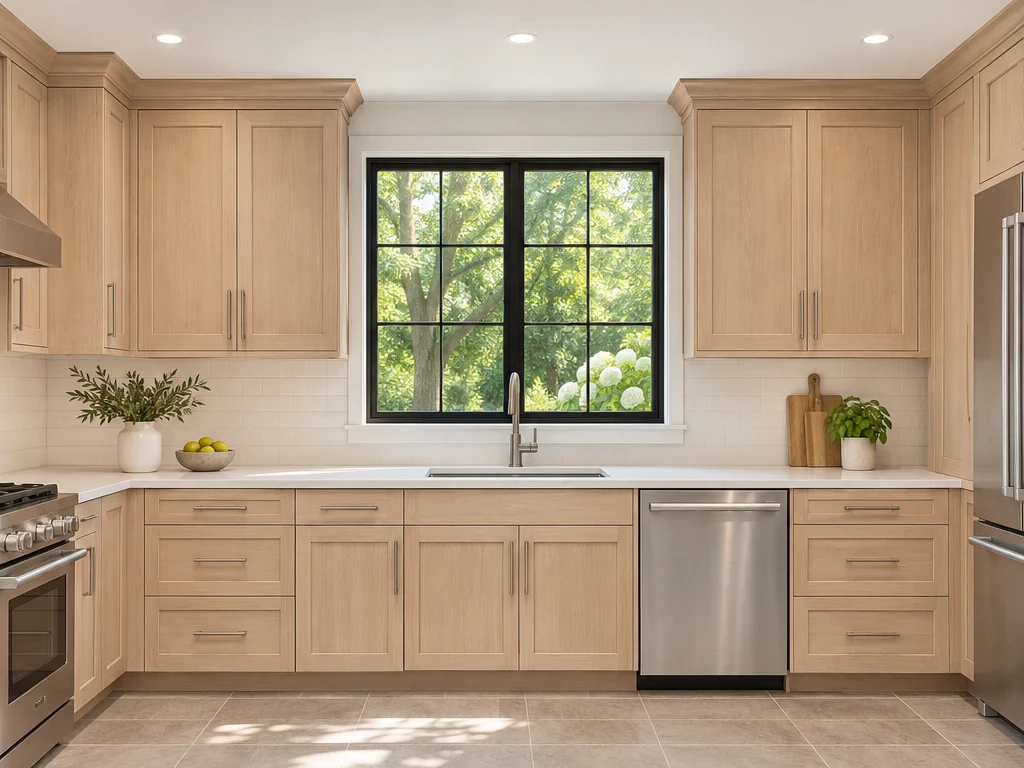 After
History
Preview new finishes on your own cabinets, then compare the result with your photo.
Choose a preset in AI Kitchen Design or describe a custom style.
Light oak cabinets, white countertops.
Describe the finishes and details you want to change.
Review different versions alongside your original photo.
Drag the divider to see what changed in each AI Kitchen Design example.
From espresso to light oak
Light oak brightens the cabinet fronts around the original sink and worktop.
Follow one photo through AI Kitchen Design, from dark cabinets to light oak.
Use a straight-on view with the cabinet fronts and countertop visible.
Choose your style and describe light oak cabinet fronts. Ask to keep the existing worktop.
Compare the wood grain around the sink with the original dark doors.
Choose the package that fits your project.
Includes:
Includes:
Includes:
Includes:
Answers about creating kitchen concepts from a photo.
Preview cabinet finishes, countertops, backsplash, flooring, or lighting. In Design instructions, tell the tool what to change or keep.
It aims to preserve walls, windows, and appliances. Compare the result with your photo to spot any shifts.
Yes. Select the original in History to try another style on the same kitchen, or select a result to refine it.
No. The images show finishes and styles. Verify measurements and fixtures separately before renovating.
Use a clear, level shot from a doorway or corner. Include your cabinets and counters.
Yes. For a narrow galley, show both sides if possible and describe which features should stay.
The Generate button shows the credit cost for your model before you submit. Trying settings costs nothing.
Open AI Kitchen Design and see how a new finish looks on your cabinets.